A Spaces Renamer alternative that works on Apple Silicon and modern macOS
If you loved Spaces Renamer but your Mac won't run it anymore, DesktopTitle is a native, App Store alternative that names your desktops without disabling SIP and works on today's Macs.
Why you're here: Spaces Renamer no longer works on your Mac
Spaces Renamer earned its ~1,230 GitHub stars for a reason. It pioneered renaming the labels inside Mission Control, and for years it was the tool people reached for when macOS refused to let them name their virtual desktops.
But it comes with hard requirements that modern Macs can't meet:
- It requires disabling System Integrity Protection (SIP) to run.
- It does not work on Apple Silicon Macs (M1/M2/M3/M4).
- It is broken on macOS 14.4+ on many Intel setups.
If your Mac is Apple Silicon, or you're on a recent macOS release, Spaces Renamer is effectively unusable no matter how much you'd like to keep it. That's a genuine, unfixable incompatibility rather than a knock on the project.
The demand is real, and it's old
macOS has never let you natively rename your Spaces. Apple Community threads asking for this feature go back to 2011, with thousands of "Me Too" votes still stacking up. Several third-party tools have appeared over the years, together accumulating thousands of GitHub stars. The need is long-standing and clearly real; the tooling to meet it on modern Macs has been the problem.
What DesktopTitle does differently
DesktopTitle is a menu-bar utility (no Dock icon) that shows a persistent, always-on-top, editable name label directly on each desktop / Space. Click the label to rename it in place.
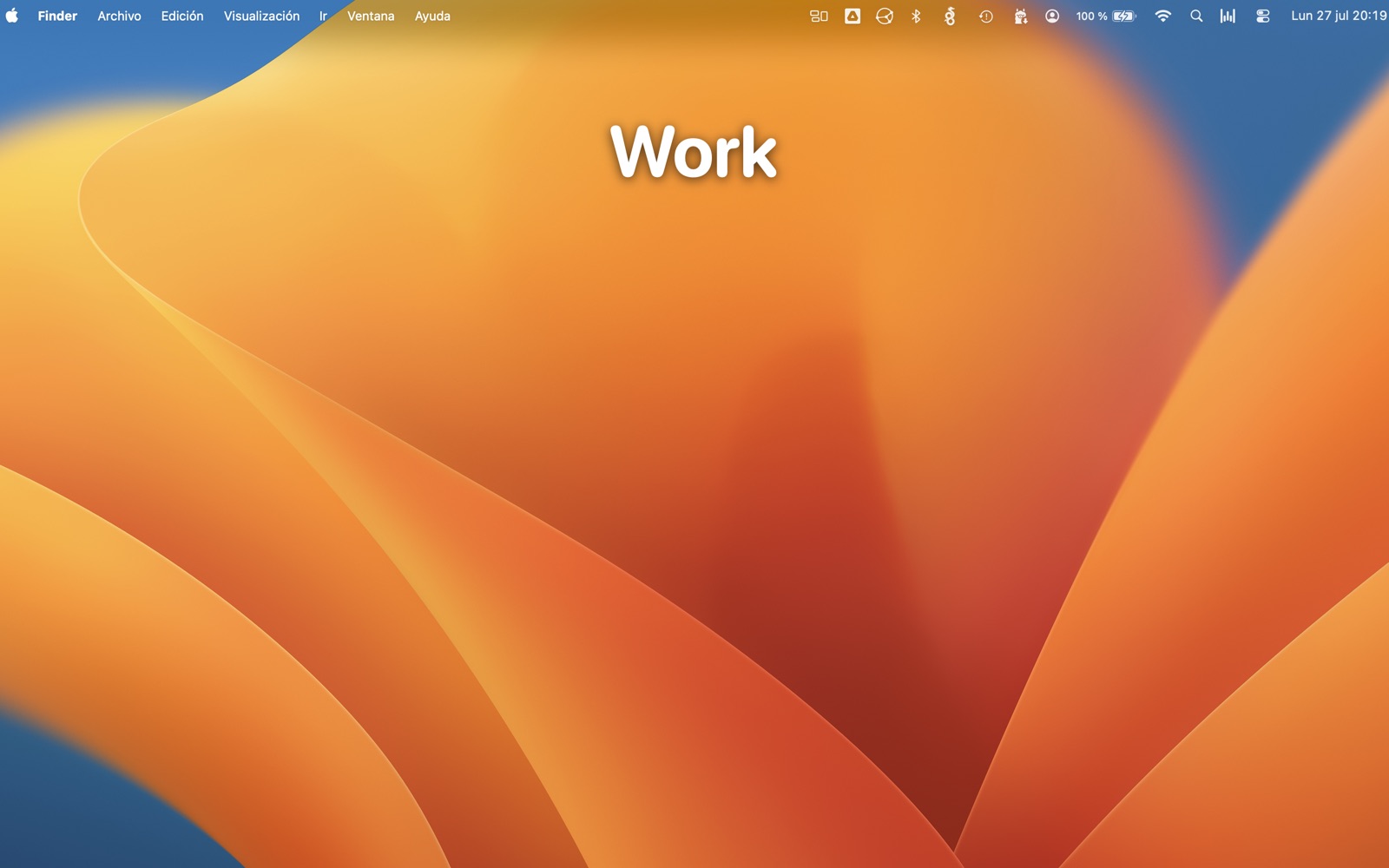
That "on the desktop" placement is the core difference. Spaces Renamer put the name inside Mission Control; other tools show it only in the menu bar. DesktopTitle puts the label on the desktop itself, so you always know which Space you're on without pressing anything.
And it does it the modern way:
- Runs natively on Apple Silicon and Intel as a universal binary.
- No SIP disabling. It uses only public Apple APIs.
- Distributed on the Mac App Store, sandboxed.
Spaces Renamer vs DesktopTitle: a fair comparison
| Spaces Renamer | DesktopTitle | |
|---|---|---|
| Cost | Free, open source | Free for up to 3 desktops; EUR 4.90 one-time to unlock the rest |
| Where the name shows | Inside Mission Control | On the desktop itself, always on top |
| Requires disabling SIP | Yes | No |
| Apple Silicon (M1-M4) | Not supported | Native |
| Modern macOS | Broken on 14.4+ (many Intel setups) | Requires macOS 15 (Sequoia) or later |
| Distribution | GitHub | Mac App Store, sandboxed |
| Renames labels inside Mission Control | Yes | No (inactive Spaces can still appear in thumbnails) |
To be fair to Spaces Renamer: it renames the labels inside Mission Control, and DesktopTitle does not. If seeing Space names inside Mission Control is your one non-negotiable, and you can meet its requirements, that's the capability Spaces Renamer was built around. For most people on a current Mac, though, that requirement is moot, because Spaces Renamer simply won't run.
Key features of DesktopTitle
- Persistent, always-on-top name label on every Space, editable in place with a click.
- Adjust label size, position, and opacity per screen.
- No accounts, no tracking, no telemetry. The app sends nothing on its own; its only network uses are Apple's own In-App Purchase for the one-time unlock and an optional problem report you choose to send.
- Optional convenience: it can auto-suggest a desktop name from the app you are using — window titles only at the highest level, with Screen Recording permission. It never controls or changes other apps.
Pricing
DesktopTitle is free to download and use for up to 3 desktops. A single one-time in-app purchase of EUR 4.90 unlocks unlimited desktops and the power features. No subscription, ever.
Who should pick which
- Pick DesktopTitle if your Mac is Apple Silicon or on modern macOS, you don't want to disable SIP, and you want the name visible right on the desktop where you work.
- Pick Spaces Renamer only if you're on older, compatible Intel hardware, can disable SIP, and specifically need Space names rendered inside Mission Control.
Frequently asked questions
- Does DesktopTitle work on Apple Silicon?
- Yes. It is a universal native binary that runs natively on Apple Silicon (M1/M2/M3/M4) and Intel Macs. It requires macOS 15 (Sequoia) or later.
- Do I have to disable SIP like I did with Spaces Renamer?
- No. DesktopTitle uses only public Apple APIs and never asks you to disable System Integrity Protection. That's one of the main reasons it works on modern Macs where Spaces Renamer no longer can.
- Can it rename Spaces inside Mission Control like Spaces Renamer did?
- No. Because DesktopTitle stays within sandboxed public APIs to remain on the App Store, it does not display the active Space's name inside Mission Control (labels of inactive Spaces can still appear in thumbnails). This is the honest tradeoff for a no-SIP, App Store app.
- What macOS version do I need?
- macOS 15 (Sequoia) or later.
Try DesktopTitle
Name your Mac desktops on the desktop, always on top, with no SIP changes and no tracking.
Download free on the Mac App Store
Questions? Use the contact form.
Related: DesktopTitle home · SpaceJump alternative